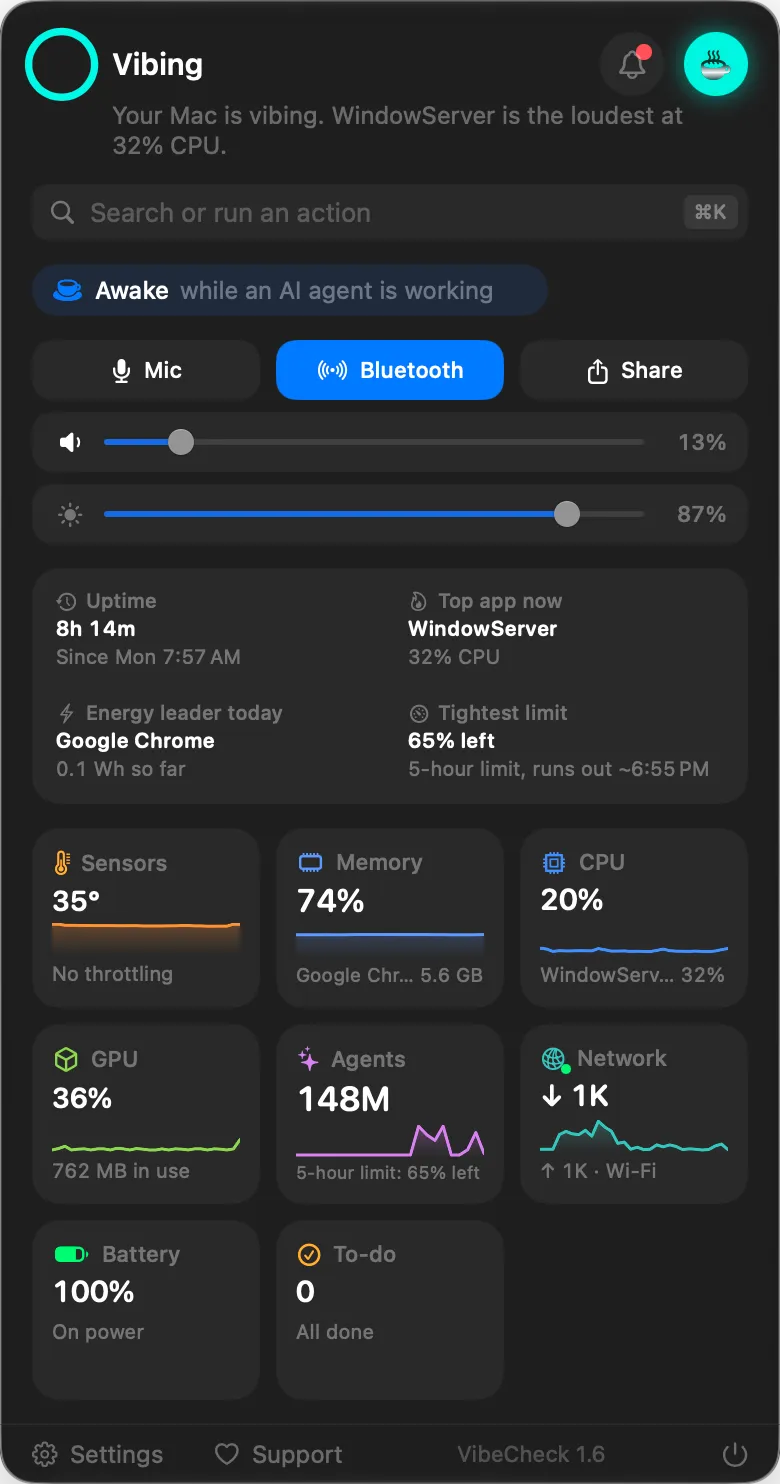
Your fan starts screaming, the battery drops faster than it should, and everything feels slow. Normally you’d open a process list and squint at a wall of numbers. VibeCheck does the squinting for you.
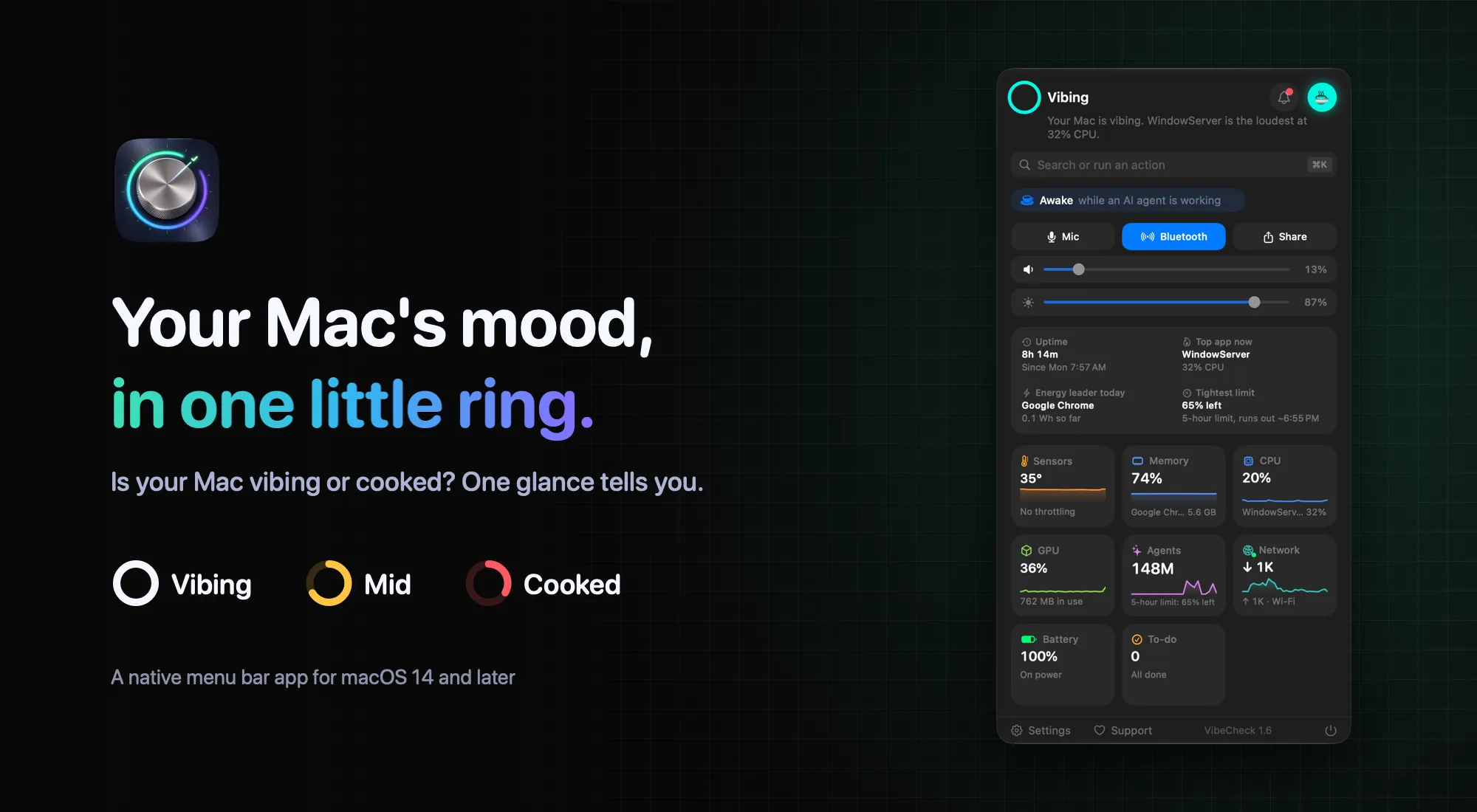
One small ring sits in the menu bar and shows how your Mac is doing at a glance:
- Vibing: all good. Get on with your day.
- Mid: something is working hard. Worth a look.
- Cooked: your Mac is struggling, and VibeCheck tells you who’s to blame.
Click the ring and you get the answer in plain words, like “Kinda mid: Xcode is the loudest at 140% CPU”, with a button to quit the app that’s causing it.
The design idea
Answers, not numbers. Every view opens with one line about what’s going on, and the numbers sit underneath for when you want them. The interface uses glass panels, keyboard shortcuts, Shortcuts and Siri so it feels at home in macOS.
The mark is a mood dial: the vibe ring as its track, a knob pointing at the gap, and a check in that gap. The palette runs mint, sky and violet on deep ink, and the voice stays casual and honest, with slang reserved for three words: vibing, mid and cooked.
What it does
- Finds the culprit in one click. See which app is eating your battery, memory or bandwidth, and quit it right there.
- Keeps your Mac awake when you need it. Downloads, long exports, presentations and overnight AI agents. It goes back to normal on its own.
- Stays calm during calls. When your camera or mic is on, it keeps quiet and keeps the screen on.
- Sends heads-ups only when they matter. Alerts are set in plain sentences, like “Tell me when the battery is below 20%.”
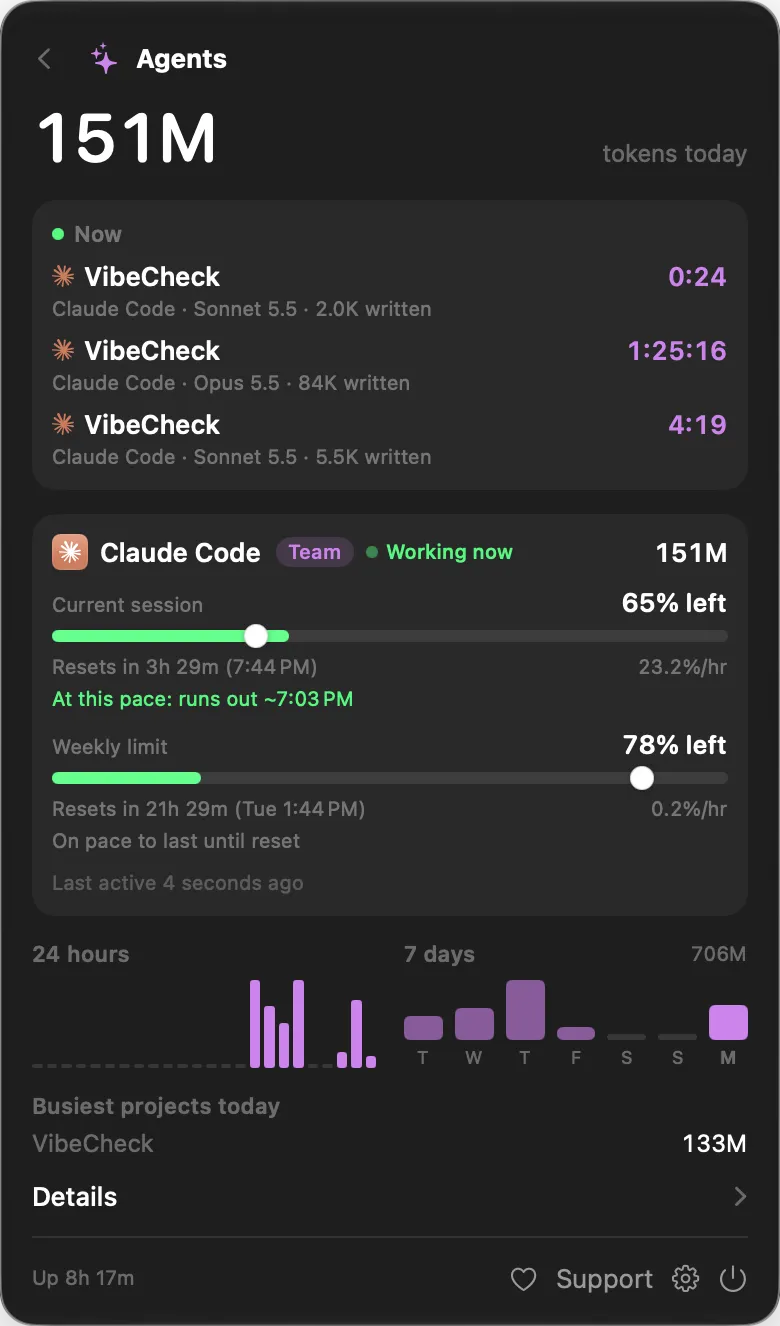
- Tracks AI tool usage. It counts the tokens Claude Code, Codex and others use each day, shows how close you are to their limits, and when you’ll run out at your current pace.
- Adds the small things. Weather, world clocks, a to-do list from Apple Reminders, and desktop widgets.
Private by design
Everything is read on your Mac. There’s no account, no analytics and no server. The only network calls are the weather for a city you pick, the update check, and your public IP if you turn it on.
Try it
VibeCheck is free and open source, and runs on macOS 14 Sonoma or later. Install it with Homebrew:
brew tap saroj-shahi/tap
brew install --cask saroj-shahi/tap/vibecheck
The README on GitHub covers every feature, the install script for Macs without Homebrew, and how to build it from source.